
A faster, simpler way to sign in to Howdy
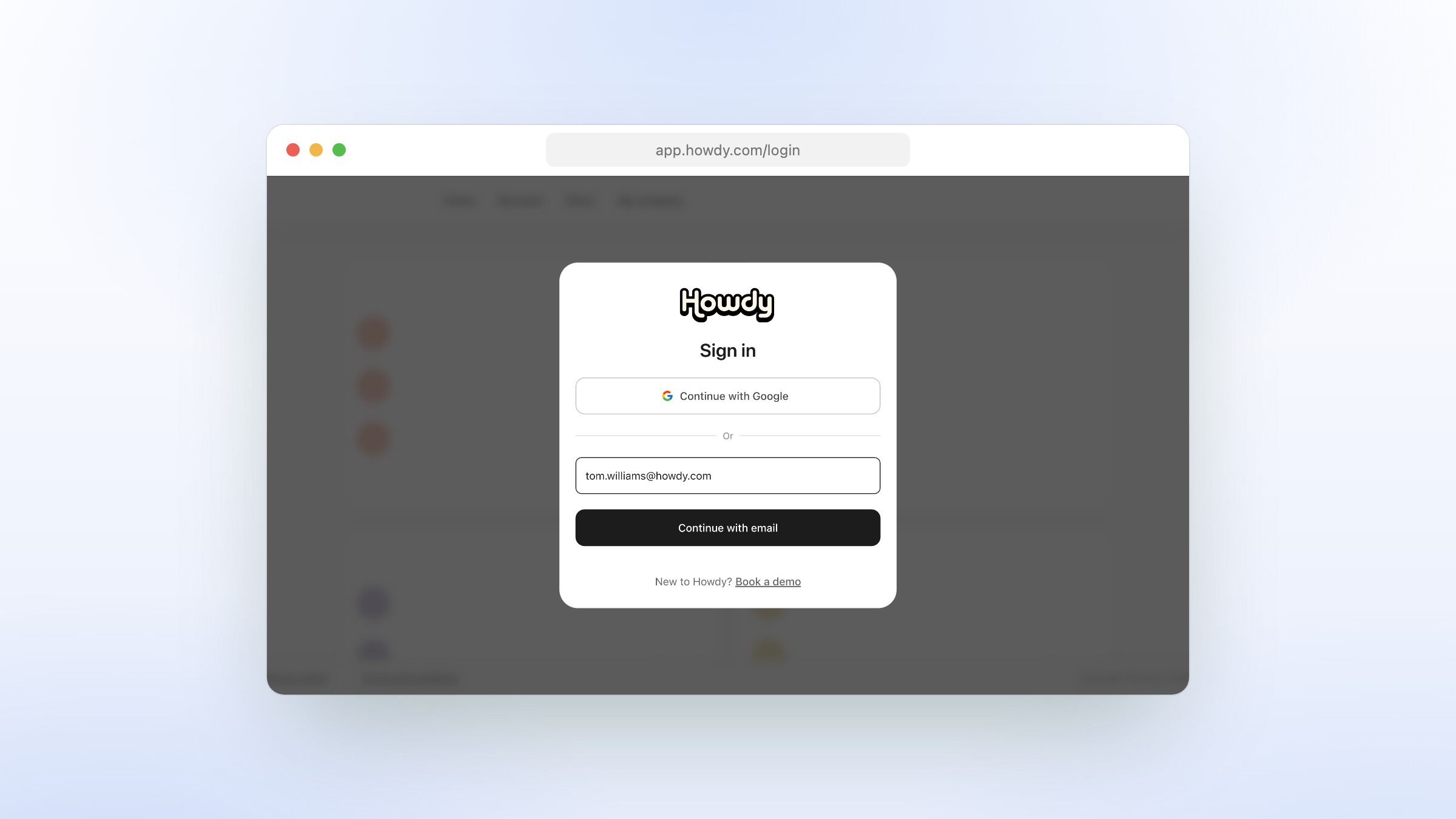
For a lot of our partners, the first thing you do every morning is sign in. So it should be the easiest thing you do — not the part you brace for.
Today we’re shipping a redesigned login experience, anchored around a simple idea: the work account you already use to run your day should be the one that opens Howdy. Starting now, you can sign in with Google in a single click, and existing partners can link Google to their account so future sign-ins are just as fast.
The new sign-in flow in action.
Why We Changed It
The old login worked, but it asked you to remember two things at once: which email did I sign up with, and which password did I use. If either was off, the flow gave up quietly and left you guessing. Some accounts were password-only, some were Google-only, and the form didn’t tell you which was which until you’d already gotten it wrong.
That’s the kind of friction you stop noticing because you’re tired of it. We didn’t want it to live on Howdy’s front door.
How It Works
1. Continue with Google — the New Primary Path
Open the login page and the first thing you see is Continue with Google. One click signs you in if your account is set up for it. No email field, no password, no forgotten-password dance.
If you’d rather sign in with email, that option is still right there, just below.
2. We Tell You What Method Your Account Uses
Type your email and we look up your account before asking for a password. If it’s a Google-only account, we tell you up front — no password prompt, no “incorrect password” dead end. You’ll see a quick note that the account uses Google sign-in, and the Google button is one tap away.
If we can’t find an account at all, you get a new Can’t find your account screen instead of a generic error:
“You signed in as [email] but we don’t have an account for that email. You may have used a different email or sign-in method.”
Two clear next steps — try Google, or try a different email — and a path to a demo if you’re new.
3. A One-Time Login Link, When You Need It
If you can’t remember your password and don’t have time to reset it, you can request a one-time login link sent to your email. Click the link, you’re in. Useful when you’re between devices, or when you’ve shut your laptop and the password manager with it.
Linking Google to an Existing Account
If you signed up with a password and want to switch to one-click Google sign-in, you can — without creating a new account.
We’ll offer to link Google in two places:
- Right after signup, once you’ve verified your email and phone, we’ll ask if you want to connect Google to make future logins one-click.
- From your Personal Info settings, any time later, if you change your mind.
The prompt is quiet and skippable: “Connect your [email] account to log in faster next time.” Tap I’ll do it later and we don’t ask again — there’s no nag banner. Tap Connect and we verify it’s really your account (we check the Google email you sign in with matches the one on file) and confirm:
“Google account connected. You can now log in with Google next time.”
What If I Use a Company Email?
This is the part we’re proudest of: you don’t need a personal Gmail address. If your company runs its email on Google Workspace — meaning your you@company.com is actually backed by Google — we’ll detect that automatically and let you sign in with the same work email you already use everywhere else.
The email you live in all day is now the credential for Howdy too.
What Else Is New
A few smaller improvements landed alongside the main flow:
- Cleaner login layout. A single, focused modal with clear hierarchy: primary action first, alternatives below. Less decision paralysis.
- Smarter error states. Wrong email, no account, mismatched Google account — each gets a specific message and a way forward, not a generic failure.
- Invisible bot protection. We added Cloudflare Turnstile to the login flow so legitimate users see nothing while automated abuse gets stopped at the door.
- Faster admin actions. When a teammate requests access to your company account, you can now approve or decline directly from the email — no need to log in and dig through dashboards.
What’s Different Now
- Faster daily sign-in. One click with Google replaces “email, password, submit, hope I got it right.”
- No more guessing which method. The login page tells you what sign-in method your account uses before you’ve typed a password.
- Fewer forgotten-password loops. Magic links and Google linking mean fewer reasons to be locked out.
- Works with your real work email. Google Workspace–backed company addresses are first-class citizens, not just personal Gmail.
What’s Next
This is the start, not the end. We’re already exploring:
- Single Sign-On (SSO) for larger teams that run their own identity provider.
- Passkey sign-in for partners who want to skip passwords entirely.
- Smarter session handling so you stay signed in across the tools you use every day.
If you’re already on Howdy, the new login is live now — just refresh the sign-in page and you’ll see Continue with Google at the top. If you signed up with a password, look for a one-time prompt to connect Google after your next sign-in, or visit Personal Info in settings to do it on your own time.
If you aren’t a partner yet, book a walkthrough — and the first thing we’ll show you is how fast it is to get in.
Signing in shouldn’t feel like a gate. It should feel like coming home. We hope this new front door does that for you.